
Welcome Email for a Music Studio: What to Send and When
Welcome Email for a Music Studio: What to Send and When
A good welcome email for a music studio does four jobs. It confirms the booking, tells the family exactly what happens before the first lesson, sets out your studio expectations, and gives them one clear next step. Send it within hours of enrolment, keep it warm and short, and follow it with a few simple emails over the first week. Below you’ll find the structure, a template you can copy, the timing, and how to use email afterwards to keep students for years instead of terms.
TL;DR
- Send your welcome email the same day someone enrols. Speed tells a new family you are organised and that they chose well.
- Cover five things: a warm greeting, what the first lesson looks like, your studio expectations (fees, cancellations, practice), who to contact, and one next step.
- Give every email one purpose and one action. A welcome email that tries to do onboarding, payment, community and scheduling all at once gets skimmed.
- After the welcome, a short sequence over the first week, then light, regular contact, does more for retention than any discount.
- If you email people for marketing, follow the rules on consent and unsubscribing. In the UK, that means PECR and UK GDPR.
Table of Contents
- Why the welcome email matters more than you think
- What to put in a welcome email for a music studio
- A welcome email template you can copy
- When to send it, and what comes next
- Student retention emails that don’t annoy people
- Consent and privacy: the boring bit that keeps you safe
- Our perspective: email is the quiet engine of a full studio
- Putting the welcome sequence on autopilot
- A quick checklist before you hit send
- FAQ
- Sources
Why the welcome email matters more than you think
Here’s the uncomfortable bit. The moment someone says yes to lessons is the moment they’re most excited and also most nervous. Parents wonder whether the child will enjoy it. Adult beginners wonder whether they’re too old, too clumsy, or about to waste money. If they hear nothing for three days, that nervousness quietly turns into doubt.
A welcome email closes that gap. It’s the cheapest retention tool you have, because it costs nothing and it works before the first lesson has even happened.
It also does something practical: it answers questions before they’re asked. Studio-management software company Jackrabbit makes the point that answering predictable family questions up front builds confidence and reduces first-day friction. Anyone who has taught for a few years knows the list: where do I park, do we bring our own instrument, what if we’re late, when do I pay?
Think of it as clearing the deck. Every question you answer now is a message you won’t have to field at 9pm on a Sunday.
What to put in a welcome email for a music studio
There is no single magic formula, but the good examples share the same ingredients. Piano teacher Bethany Pearson’s guide to replying to lesson enquiries suggests a friendly greeting, asking about the student’s experience and goals, a short note on your background, your expectations and tuition, and a concrete next step. A preschool piano example from WunderKeys adds that the message should welcome the family, explain the lesson format and goals, invite questions and stress frequent parent and teacher communication.
Put those together and you get this checklist.
1. A subject line that says what it is
Skip clever. “Welcome to [Studio Name], here’s what happens next” gets opened because it promises something useful. Include the student’s name if you can: “Welcome, Maya! Your first guitar lesson” beats a generic banner every time.
2. A personal greeting and a bit of enthusiasm
One or two sentences. Say you’re glad they’ve joined, use the student’s name, and say what you’re looking forward to. “I’m really looking forward to hearing Tom play” is better than “We are delighted to welcome you to our studio.” Write like a person.
3. What the first lesson looks like
This is the part nervous families need most. Tell them the day, time and place (or the video link), how long it lasts, and what happens in it. Parents of young beginners often have no idea what a lesson involves. WunderKeys’ view is that explaining the format and expectations beforehand improves the relationship with parents and the child’s experience. A line such as “We’ll spend the first 30 minutes finding out what you already know, learning a few notes, and playing something simple before you leave” is gold.

4. What to bring or prepare
Instrument, books, a notebook, a pencil. For online lessons: a charged device, headphones if helpful, a quiet corner, and a camera angle that shows the hands. Keep it to a short list.
5. Your studio expectations
This is where many teachers get shy. Don’t be. Clear policies protect your income and your sanity, and families genuinely prefer knowing. Cover:
- How and when fees are paid
- Your cancellation and make-up lesson policy
- Practice expectations (“10 to 15 minutes, most days” is plenty for beginners)
- What parents are expected to do at home
- Term dates or holiday closures, linked to a page rather than listed in full
If your handbook is long, link to it. The email should state the three or four rules that cause the most trouble and point to the rest.
6. How to reach you
Give one email address and one phone or messaging option, plus when you usually reply. “I answer messages between 4pm and 6pm on weekdays” keeps your evenings your own.
7. One next step
This is the bit people forget. End with a single action: confirm the time, fill in a short form about the student’s goals, or download the practice sheet. One. Not four.
A welcome email template you can copy
Adapt the wording to your own voice. The structure is what counts.
Subject: Welcome to [Studio Name], here’s what happens next
Hi [Parent or student name],
I’m so glad [Student name] has joined [Studio Name]. I’m really looking forward to meeting [him/her/them].
Your first lesson [Day, date, time], [location or video link]. It lasts [30] minutes. We’ll [find out what [Student name] already knows, try a few notes and play a first simple tune].
What to bring Your instrument, a notebook and a pencil. [For online lessons: please test your camera and sound a few minutes before we start.]
How lessons work
- Lessons are [weekly] and fees are [amount] per [term/month], payable by [method] by [date].
- If you need to cancel, please give [24 hours’] notice and I’ll offer a make-up where I can.
- A little practice most days, around [10 to 15 minutes], makes a bigger difference than one long session.
Questions? Reply to this email or message me on [number]. I usually answer within [one working day].
One thing to do before we meet: [Fill in this two-minute form so I can tailor the first lesson: link].
See you soon, [Your name]
That’s under 200 words. Short enough to read on a phone while queuing for coffee, which is where most families will read it.
When to send it, and what comes next
Send the welcome email immediately, ideally automatically, the moment the enrolment or payment goes through. Then keep going. A single email is a good start, but a short sequence does far more.
For online courses, the logic is the same. Ruzuku, a course platform, suggests a practical sequence: a welcome and confirmation on day 0, a “what to expect” email on day 1, a start-here lesson with a first action on days 2 to 3, a community invitation on days 3 to 4, and an optional check-in around days 6 to 7. The same source advises giving every email one purpose and one clear action instead of cramming in onboarding, community, scheduling and a pile of resource links.
If your course starts on a fixed date, send something earlier. The University of Connecticut’s online-course guidance recommends a welcome email several weeks or more before the course begins, then an access and orientation message about a week before the official start. That is written for university classes in the United States, but the principle carries over to a group course or a September cohort at your studio.
Here is how that looks for a typical private studio or online course:
| When | One job | |
|---|---|---|
| Straight after enrolment | Welcome | Confirm details, set expectations, one next step |
| Day 1 | What to expect | Explain how lessons or the course work |
| Days 2 to 3 | Start here | Get them to do one small first thing |
| Days 3 to 4 | Community or parent info | Invite them to your group, page or newsletter |
| Days 6 to 7 | Check-in | Ask how it’s going, invite questions |
| Day before first lesson | Reminder | Time, place, what to bring |
Notice nothing here is clever. It’s just consistent. Consistency is what most studios lack.
Student retention emails that don’t annoy people
The welcome email gets them through the door. Keeping them is a different job, and it’s where studios quietly lose the most money. Recruiting a new student costs time and ad spend. Keeping an existing one costs a thoughtful email.
What actually makes students stay? Research on why young people continue or quit school music is worth a read. A 2024 dissertation on band students identified community, social and emotional support, confidence, quality of music education, persistence through challenges, and relationships as themes linked to continuing or dropping out. It’s a study of school band students in one setting, so treat it as a pointer rather than a rule. But look at that list. Almost none of it is about the music itself. It’s about belonging, confidence and feeling supported.
That’s exactly what email can do well. Here are practical ways to use it without overwhelming anyone.
Celebrate small wins
After a first piece is learned, an exam passed or a tricky scale finally cracked, send a two-line note. “Maya played her first full song today and I couldn’t be prouder.” Parents forward these to grandparents. Grandparents tell the neighbours. That’s word of mouth working for you.
Send a monthly note, not a weekly flood
One email a month is plenty for most studios. Include a short progress theme, upcoming dates, a practice tip and one piece of good news. The NAMM Foundation lists a monthly email, More to Start, Fewer to Quit, which offers recruitment, retention and success strategies for music educators. It’s a handy model for the rhythm: regular, useful, brief.
Check in when something changes
The danger points are predictable: three to six weeks in, when the novelty fades; after a missed lesson; after a holiday break; when exams or school pressure rise. A short, friendly message at those moments does more than any loyalty scheme. Something like: “I noticed we’ve missed a couple of weeks. No pressure at all, but I’d love to help Tom get back into it. Want to try a shorter lesson this week?”
Ask for feedback, and then act on it
Two questions at the end of a term: “What’s going well?” and “What would make lessons better?” Replies tell you who’s quietly drifting before they cancel.
Keep each email to one idea
A retention email that mixes a fee reminder, a concert invite and a survey will be read for none of them. One topic per email. If you must send a lot, separate admin from encouragement so the warm messages don’t get lost among invoices.
Watch your frequency
Here’s a simple test. If you wouldn’t be happy receiving that many emails from your dentist, don’t send that many to your families. Admin emails (reminders, closures) are expected. Everything else should earn its place.
Consent and privacy: the boring bit that keeps you safe
A welcome email confirming a lesson someone has just booked is a service message, not marketing. But the moment you add newsletters, offers or promotions, the rules change.
In the UK, the ICO explains that you can send solicited marketing emails without consent or a soft opt-in because the recipient asked for them, but you must not hide your identity and must give a valid address for people to opt out. In practice, that means:
- Say who you are in every email.
- Put an unsubscribe link or clear opt-out in every marketing message.
- Use a separate, unticked box if you want permission to send newsletters, not buried in your terms.
- Keep student and parent details secure and only use them for what you said you would.
If you teach families abroad, rules differ. In Canada, for example, commercial electronic messages generally need consent, sender identification and an unsubscribe mechanism, and consent boxes cannot be pre-checked. If you’re unsure about your own situation, the ICO or a data protection adviser is the right person to ask, not a blog post, including this one.
Our perspective: email is the quiet engine of a full studio
We talk to music teachers every week, and the pattern is almost always the same. They’re brilliant at teaching and exhausted by the business side. Student numbers swing up and down, and nobody has time to chase leads, write follow-ups or check in with families.
Here’s what we believe. Student intake isn’t a mystery, it’s a maths problem. You attract enquiries, you follow up, you welcome, you teach, you keep. Each step is a gear you can adjust. The welcome email is one of the smallest gears, and it turns more than most teachers realise.
The mistake we see most is treating email as an afterthought. A teacher spends hundreds on ads or a website, gets an enquiry, and then replies three days later with a hurried message. The family’s excitement has gone cold. Automating the first response and the first week of welcome emails fixes that without adding to your workload. It’s also why we build follow-up and lead capture into the system we offer, rather than treating them as extras.

Second, retention is cheaper than recruitment, always. If you’ve built a business plan for your studio (we’ve written a step-by-step music teacher business plan for exactly this), put retention targets in it next to enrolment targets. A studio that keeps students an extra term doesn’t need to find as many new ones.
Finally, don’t wait for a miracle. Nobody is coming to fill your timetable. But a small set of consistent emails, sent on time, will do a surprising amount of the work for you.
— Liam
Putting the welcome sequence on autopilot
You can send all of this by hand, and plenty of teachers start that way. The trouble comes when you’re busy. The email that should go out Tuesday goes out Friday, or not at all.
This is the problem our All-In-One Marketing System is built to solve. It combines pre-built Facebook and Google ad campaigns, lead capture, automated follow-up, SEO-optimised websites, payment and calendar integrations, and ongoing coaching and community support. So when an enquiry comes in, follow-up starts straight away, and you can focus on teaching.
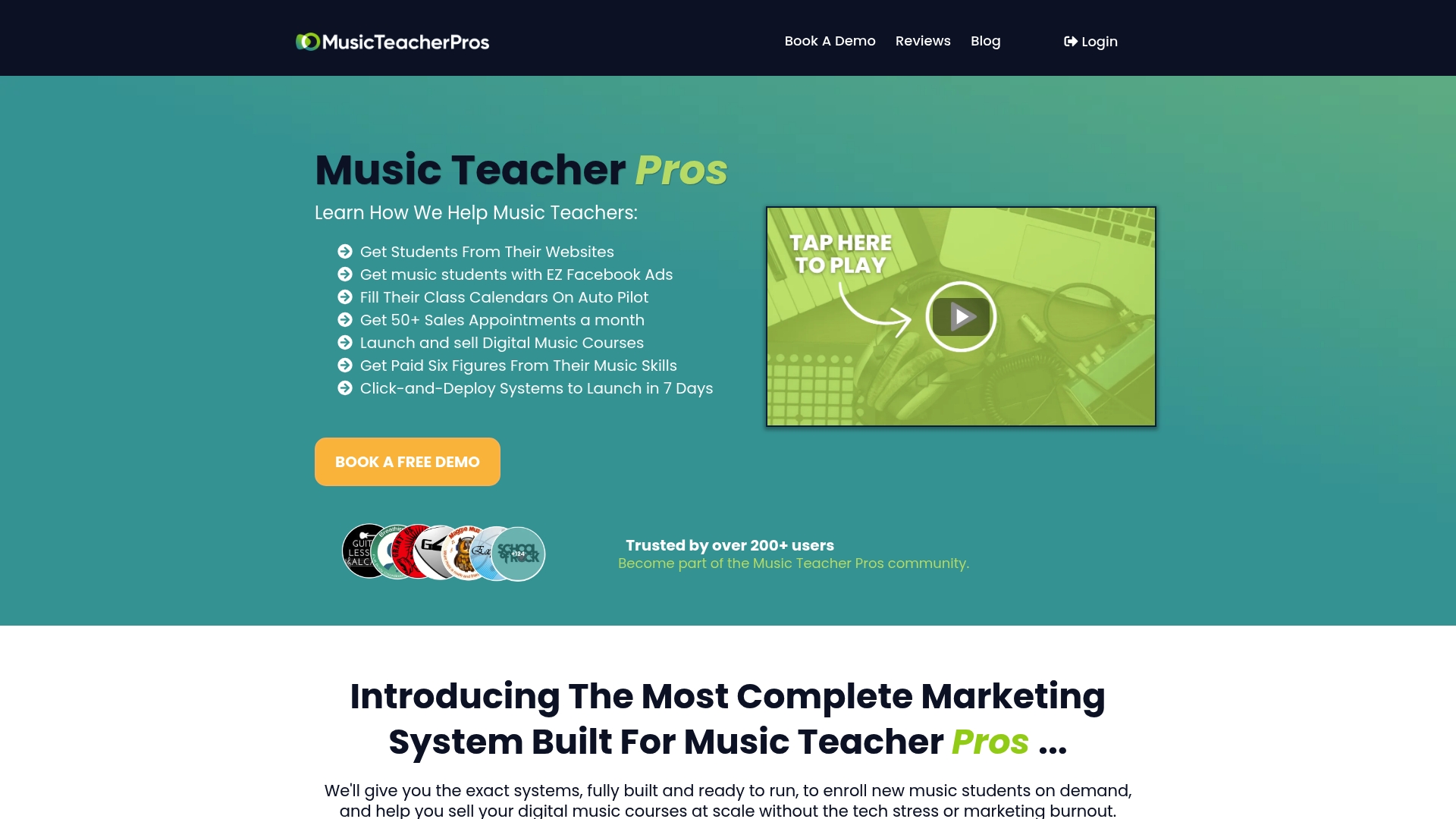
If you’d like to see how it works for a studio like yours, take a look at the All-In-One Marketing System. And if your bigger challenge is getting enquiries in the first place, our guide to writing ad copy for music lessons is a good place to begin.
A quick checklist before you hit send
- Does the subject line say what the email is?
- Is the student’s name spelled correctly? (It matters more than you think.)
- Are the date, time and place right, with a link or map?
- Have you stated fees and cancellation terms plainly?
- Is there exactly one next step?
- Does it sound like you, not like a legal notice?
- Is there a way to reply and a sign-off with your name?
- If it’s marketing, does it identify you and offer an unsubscribe?
Test it by sending it to yourself and reading it on your phone. If you have to scroll for ages, trim it.
FAQ
How long should a music studio welcome email be?
Aim for 150 to 250 words. That’s enough to cover the first lesson, your key expectations, how to reach you and one next step. If you need to say more, link to your studio handbook rather than pasting it in.
Should I send the welcome email to the parent or the student?
For children, address the parent but mention the child by name, since the parent handles payment and logistics. For teenagers, copy them in or add a short friendly line to them directly. Adult learners get the email themselves, naturally.
Is a welcome email the same as a marketing email?
Not usually. A message confirming a lesson someone has just booked is a service message. A newsletter or promotion is marketing, and in the UK the ICO’s PECR guidance says you must not hide your identity and must give a valid way to opt out. Keep admin and promotion in separate emails.
How many emails should I send after the welcome?
For a new student, three to five over the first week or so is a sensible pattern, then roughly one a month. Make each one useful and single-purpose, and cut anything that doesn’t help the family.
What if a student stops replying or misses lessons?
Send a short, kind check-in rather than a policy reminder. Offer an easy way back, such as a shorter lesson or a change of time. Most students who drift away haven’t decided to quit. They’ve just lost momentum.
Sources
- How to write a welcome email to new parents and students (Jackrabbit)
- Perfect Your Email Response to Music Lesson Inquiries
- A Welcome To Piano Lessons Letter To Set Expectations For Preschool Parents (WunderKeys)
- How to Create a Welcome Email Sequence for New Students (Ruzuku)
- Communication Templates for Online Courses (UConn eCampus)
- Utilizing the Theory of Planned Behavior and Self-Efficacy (Gardner-Webb University)
- Music Educator Resources (NAMM Foundation)
- How do we comply with the PECR electronic mail marketing rules? (ICO)
- CASL FAQs (University of Winnipeg)