
Avoid the 7.5% Trap: Teachable vs Thinkific for Music Teachers
Avoid the 7.5% Trap: Teachable vs Thinkific for Music Teachers
For general course creators, Thinkific wins on cost control with zero transaction fees, while Teachable wins on built-in marketing tools. For music teachers specifically, neither is the right starting point. You need student acquisition handled first, which is where a specialist system like Musicteacherpros earns its place. Below, we break down both platforms by category, then show you the checklist to run before you commit to either.
TL;DR:
- Thinkific’s 0% platform fee applies only with Thinkific Payments on paid plans, making high-volume sellers better off with tiered pricing; Teachable’s 7.5% fee impacts low-volume sales more noticeably.
- Both platforms offer similar course-building features, but bulk editing, lesson copying, and content reuse are smoother on higher plans, which might influence scaling ease.
- Community and membership features are vital for recurring revenue, with native tools reducing churn; both platforms hide advanced community options behind higher-tier plans.
- Migration is primarily manual for both systems, with built-in coaching and affiliate tools reducing admin friction for active coaches, and zero-fee structures favoring high-volume sellers.
- Musicteacherpros addresses the student acquisition gap that platforms like Teachable and Thinkific do not cover, offering targeted ad campaigns, SEO websites, and automated lead follow-up to bring in new students.
Table of Contents
- Teachable or Thinkific: how the two platforms actually compare
- What features actually change your day-to-day as a course creator?
- How do you choose between Teachable and Thinkific?
- Why Musicteacherpros solves a problem neither platform touches
- Why the platform fight misses the real question
- Ready to fill your courses, not just build them?
- Sources
- FAQ
Teachable or Thinkific: how the two platforms actually compare
Most comparison articles frame this as a fight between two near-identical products. It isn’t. The gap between Teachable and Thinkific shows up the moment you look at how each one makes money from you, not just what buttons sit on their dashboards.
Pricing and the fees nobody mentions upfront
Teachable’s entry-level Starter plan has historically carried a 7.5% transaction fee on every sale, and free plans have effectively disappeared as pricing restructured. Move up to Builder or higher and that platform fee drops away, but you’re now paying a higher monthly subscription to get there. Thinkific takes the opposite approach: when you use Thinkific Payments, you pay 0% platform commission on paid plans, full stop. That sounds like an easy win for Thinkific, but the catch is that white-labelling and expanded community tools are offered in higher-tier plans, so the “free” positioning narrows as your business grows.
Here’s the maths that actually matters: a teacher selling £50 courses at low volume barely notices a 7.5% fee. A teacher selling 200 courses a month feels every percentage point. That’s the entire argument, reduced to one sentence, and it’s why “which is cheaper” has no single answer.
Course-building workflows
Both platforms let you build lessons, quizzes and drip-fed modules. The difference is in the friction of scaling that content. Bulk editing, lesson copying between courses, and content reuse are smoother on some plans than others, and if you’re teaching, say, piano technique and want to repackage the same warm-up module into three different course tiers, you’ll want to test this specifically during a trial rather than take a sales page’s word for it.
Marketing and sales tools
- Native affiliate management (letting other musicians or students promote your course for a cut)
- Abandoned cart recovery emails
- One-click upsells and order bumps at checkout
- Built sales funnels without a third-party tool bolted on
Independent reviewers comparing the two in 2026 generally conclude that the choice comes down to priorities: pick one platform if marketing and affiliate tools matter most, and the other if zero fees and community features matter more. Neither platform does everything well, and pretending otherwise wastes your trial period.
Community and memberships
This is where a lot of music teachers get caught out. A course is a one-off transaction. A membership, where students pay monthly for ongoing lessons, feedback and a community, is recurring revenue. Platforms that build native community features into their product reduce the churn you’d otherwise get from bolting on a separate forum tool, according to reviewer analysis of community and automation features. If your business model leans towards a membership rather than a single course sale, this category should weigh more heavily than pricing.
Automation and email
Neither platform was built as a full email marketing system. They offer basic automated sequences, drip content, and simple triggers, but for segmented nurture sequences, a separate email tool is typically required. That’s an extra subscription, an extra login, and one more thing to break when you update your course.
Support, trials, and migration
The market for online education continues expanding globally, which is exactly why picking a platform that scales without constant admin overhead matters more each year, not less.
Both platforms offer trial periods long enough to test the essentials. But migration, if you’re moving from one to the other, or from a bundled tool like Kajabi, is rarely painless. Analysis of platform-switching consistently shows that built-in coaching and affiliate management reduce administrative friction for active coaches, while zero-fee structures favour sellers moving high volume. Choose based on which of those two you actually are, not which one has the nicer onboarding video.
If you’re weighing Thinkific pros and cons against a Kajabi-style all-in-one, our comparison of Kajabi vs Thinkific covers that specific trade-off in more depth.
What features actually change your day-to-day as a course creator?
The features that sound impressive on a pricing page aren’t always the ones that save you hours. Here’s what to actually scrutinise.
AI content tools
Both platforms offer AI assistance for course descriptions, lesson outlines, and quiz generation, which should be seen as first drafts rather than replacements for your teaching voice. If you’re a violin teacher explaining bow-hold technique, no AI tool understands the nuance you’d put into that lesson. Use it to save time on the boring bits (sales copy, FAQ pages) and keep the teaching content in your own words.
Assessments and structured learning paths
If you’re building a graded curriculum, look closely at how each platform handles prerequisites (locking Module 2 until Module 1 is complete), assignments with manual grading, and SCORM support if you ever need to integrate with a school’s existing learning system. This is genuinely technical territory. For a plain-English breakdown of what SCORM and prerequisite locking actually mean before you evaluate either platform against it, Tiber Tutor’s guide to learning management systems is a useful primer.
Video hosting and reuse
This is the feature that quietly costs teachers the most time. Can you upload one video and reuse it across three courses without re-uploading? Can you build a library and drag existing clips into a new lesson? For a music teacher recording technique demonstrations, being forced to re-upload the same 10-minute video into every new course tier is not a minor inconvenience. It’s hours a month.
White-labelling and custom domains
- Custom domain mapping so your course lives at yourdomain.com, not a subdomain of the platform
- Removing platform branding from checkout pages and student dashboards
- Code-level access (custom CSS or embedded scripts) for anyone wanting finer visual control
Both Teachable and Thinkific gate the deeper white-label options behind higher-tier plans. If brand consistency matters to your studio, factor the upgrade cost into your real monthly spend, not just the advertised entry price.
Tax handling and payouts
Look for automated VAT collection at checkout if you sell internationally, and how payouts are scheduled. A BackOffice-style automated payout system that handles tax remittance for you is worth real money in saved admin time, particularly if you’re selling to students across the EU, UK and US simultaneously.
Migration realities
This is the part sales pages gloss over completely. Neither platform offers automated migration of student progress, subscriptions, or enrolment history. Switching means manually rebuilding your courses and integrations from scratch. Reviewers who’ve made the move themselves recommend budgeting real weeks, not a weekend, for a full migration.
Pro Tip: Before you commit to either platform, export a single course as a test and try re-importing it. If the process is clunky with your own content, it will be worse with a full catalogue and hundreds of enrolled students.
How do you choose between Teachable and Thinkific?
Stop comparing feature lists in isolation. Start by ranking what actually drives your revenue.
- Revenue retention — if you’re selling high volume at low margins, a 0% transaction fee structure protects more of every sale than a lower subscription with a percentage cut attached.
- Marketing automation — if you rely on affiliates, upsells or abandoned cart recovery to convert casual browsers into paying students, weight this category heavily.
- Community and coaching workflows — if your business is really a membership or ongoing mentorship, not a one-off course, native community tools reduce the churn that kills recurring revenue.
- Scalability — if you plan to add multiple instructors, white-label your brand fully, or integrate deeply via API, check those limits before you build your first course, not after.
Here’s a rough break-even example. Say a Starter-tier plan with a 7.5% transaction fee costs you £29 a month plus that fee, and a higher tier without the fee costs £99 a month flat. At £2,000 in monthly course sales, the 7.5% fee costs you £150, on top of the £29 subscription, for a total of £179. That’s already cheaper than the £99 flat tier. At £5,000 in monthly sales, the fee alone hits £375, making the flat-fee tier the better deal. The crossover point sits somewhere in the low thousands of monthly revenue, and it’s exactly the number you should calculate for your own course price before choosing a plan.
Eight questions to ask on every trial or demo:
- What’s the hard cap on students or products at this tier?
- Is migration assistance included, or is it entirely self-service?
- Does the platform handle VAT and international tax automatically?
- How are affiliate payouts calculated and scheduled?
- Can I reuse one video across multiple courses without re-uploading?
- Is there genuine API access, or just pre-built integrations?
- What’s the actual support response time, not the advertised SLA?
- Does white-labelling require a specific tier, and what does that tier cost?
If your business model is “sell one course, occasionally,” either platform will do the job. If your business model is “build a sustainable teaching income,” the honest answer is that a general-purpose course platform was never built to solve your actual bottleneck: getting enough students in the door in the first place.
Why Musicteacherpros solves a problem neither platform touches
Teachable and Thinkific both assume you already have an audience ready to buy, which most music teachers do not. Course-builder polish can’t replace the need for a student acquisition system.
Musicteacherpros was built around that specific gap. Instead of handing you a blank course editor and wishing you luck, the system combines:
- Pre-built Facebook and Google ad campaigns designed specifically for music teachers, not generic course sellers
- SEO-optimised websites and lead capture systems that work while you’re teaching, not just when you remember to log in
- Automation tools that follow up with interested students so leads don’t go cold
- Payment and calendar integrations that cut the setup time you’d otherwise spend stitching together three separate tools
Where Teachable or Thinkific leave you responsible for driving your own traffic, this approach front-loads the acquisition problem. A teacher who’s used to word-of-mouth referrals and the occasional Facebook post typically finds the biggest shift isn’t in the course content itself, it’s in having a consistent, automated system feeding new enquiries in rather than starting from zero every term.
Musicteacherpros states it has helped more than 50,000 students worldwide access music education through the teachers it supports. What’s worth asking during onboarding is how that figure breaks down by instrument type and studio size, since a solo piano teacher and a multi-instructor academy will see very different setup timelines.
Pro Tip: During any onboarding call, ask to see a real ad campaign example from a teacher in your specific instrument or genre. A generic “music lessons” ad template performs very differently to one built for, say, adult beginner drum students.
Why the platform fight misses the real question
Most comparison content treats Teachable versus Thinkific like a championship bout, one winner, one loser, pick your side. That framing is backwards for anyone teaching music for a living. The research here supports a simpler truth: both platforms are competent at hosting a course. Neither one gets you a single student.
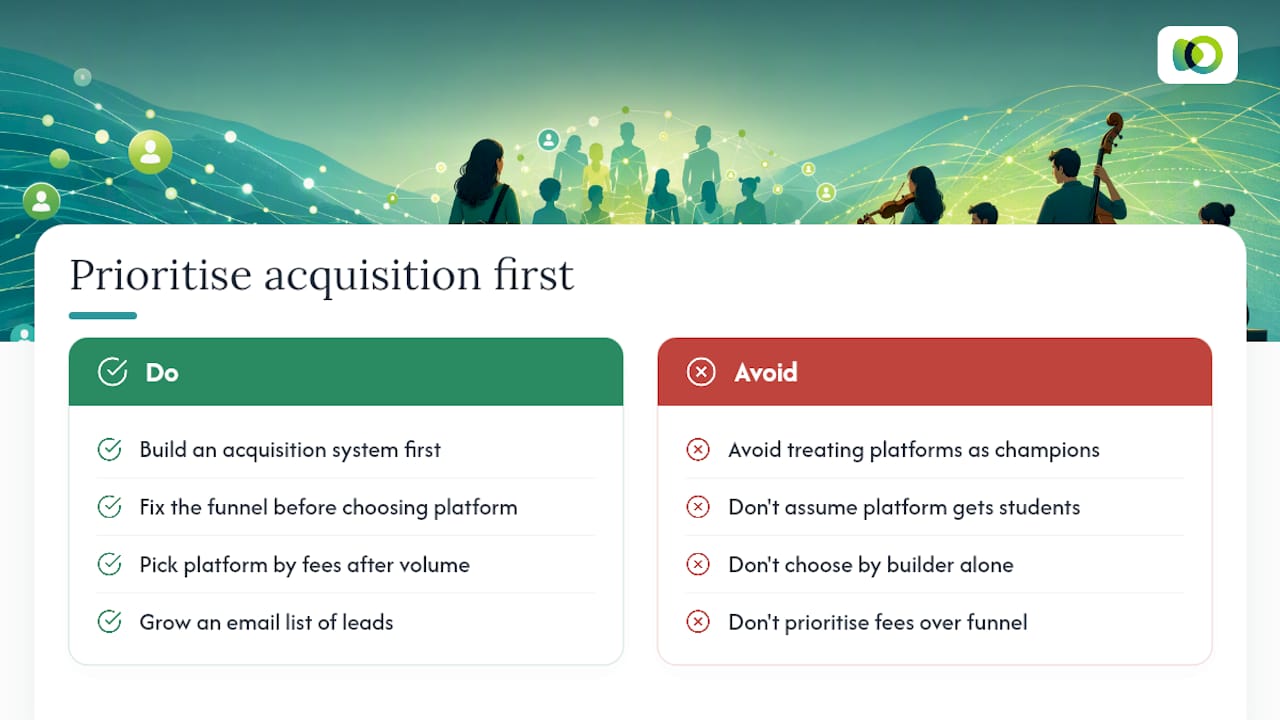
The conventional advice tells you to weigh transaction fees against subscription costs and call it a day. That’s fine if you already have 500 warm leads sitting in an email list. Most music teachers don’t have that list. They have a teaching gift, a handful of loyal students, and no reliable system for turning strangers into paying enrolments.
What should you prioritise first? Not the course builder. The acquisition system. Pick whichever platform’s fee structure suits your sales volume, sure, but do that after you’ve solved the harder problem: getting people to your checkout page in the first place. Fix the funnel before you fuss over affiliate payout percentages.
— Liam
Ready to fill your courses, not just build them?
Musicteacherpros exists for one reason: to get music teachers paying students without them having to become part-time marketers. Where Teachable and Thinkific hand you a course builder and leave the traffic problem entirely to you, this system starts with proven Facebook and Google ad campaigns built specifically for music education, paired with SEO-optimised websites and automated lead capture that keep enquiries flowing between lessons.
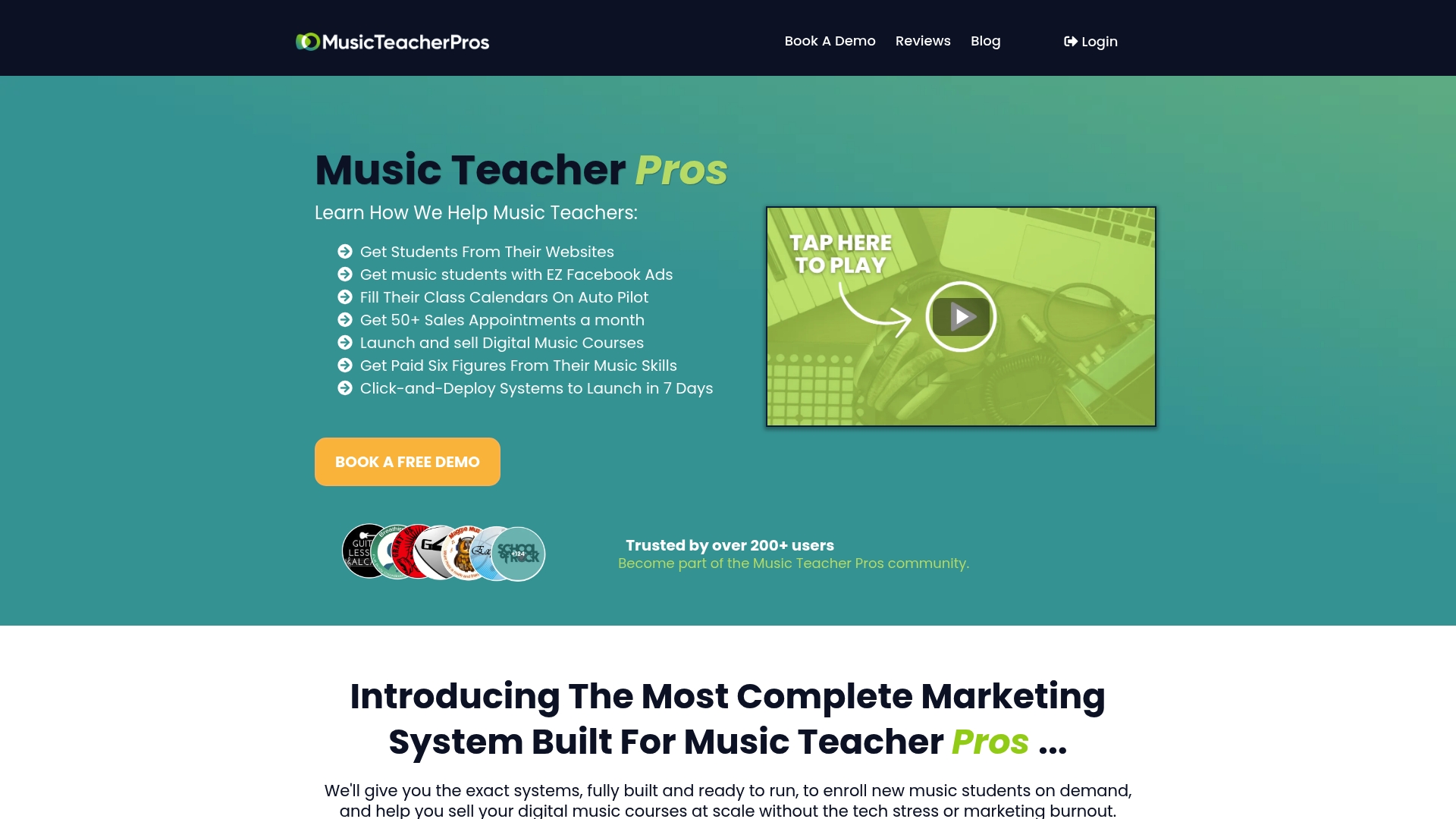
Early outcomes teachers typically look for aren’t complicated: a steadier trickle of enquiries each week, a simpler launch process when they finally build that digital course, and less time spent guessing which ad copy works for piano parents versus adult beginner guitarists. If you’re weighing up live delivery options alongside a course platform, our guide to webinar platforms is a useful companion read, and if paid acquisition is new territory, Google display versus search explains which ad format suits a course launch.
Visit the Musicteacherpros product page to see the full system and book a look at how onboarding works for your instrument and studio size.
Sources
- Teachable vs Thinkific: Which Is Best? (Updated 2026)
- Kajabi vs Teachable comparison and migration analysis
- Online education market outlook — Statista
- Teachable vs Thinkific (2026): Why I Moved to Thinkific
FAQ
What are the disadvantages of Thinkific?
Thinkific’s deeper white-labelling and expanded community features sit behind higher-tier plans, so the zero-fee advantage narrows once you need those tools. It also lacks the built-in coaching and affiliate management that some competing platforms offer natively.
Is there a free alternative to Teachable?
Some challengers, including FreshLearn, advertise free plans with consolidated features. For music teachers specifically, the bigger gap isn’t a free course host, it’s a system that also handles student acquisition, which is where Musicteacherpros focuses instead.
Can I make money on Teachable?
Yes, but your effective cost depends on your plan tier. The Starter plan’s 7.5% transaction fee matters most at high sales volume, while lower-volume sellers may find it negligible against the monthly subscription.
Which is better, Teachable or Kajabi?
Neither is universally better. Coaching-focused sellers who need scheduling and affiliate payouts often lean towards Kajabi’s built-in tools, while high-volume sellers tend to favour whichever platform preserves more revenue per sale. For music teachers whose real bottleneck is finding students rather than hosting content, a specialist system like Musicteacherpros addresses a different problem entirely.
Should I choose Teachable or Thinkific for beginners?
Beginners with a small existing audience can start on either platform’s entry tier and test transaction fees against subscription cost directly. If you have no existing audience yet, solving student acquisition before choosing a course host will matter more than the platform decision itself.