
Budget First Google Ads for Music Teachers, Start With £10–£60/Day
Budget First Google Ads for Music Teachers, Start With £10–£60/Day
Yes, Google Ads works for music lessons, but only when it’s built around high-intent local searches, not vague brand awareness. Your first move: launch one focused search campaign for your highest-demand instrument, pair it with a trial-lesson offer, and switch on call tracking before you spend a penny. Expect visibility and enquiries within a day, and enough data for smart bidding within four to twelve weeks, if you’re bidding toward a sensible cost-per-acquisition and starting daily budget rather than guessing.
TL;DR:
- Google Ads delivers the best results when targeting high-intent local searches with specific instrument plus location keywords and a clear trial offer.
- For effective budgeting, calculate your lifetime value per student, set a reasonable CPA based on trial-to-enrolment rates, and adjust daily spend accordingly.
- Campaigns should be structured by instrument and learner intent, with separate ad groups and landing pages to improve relevance and conversion rates.
- Use negative keywords to filter out low-quality, free-content searches, and optimize continuously through weekly search term reviews and monthly CPA assessments.
- Expect initial results within a week and stable, optimized performance after four to twelve weeks, with budgets ranging from £10 in small towns to £40–£60 in competitive metros.
Table of Contents
- When Google Ads makes sense for your teaching business
- Model enrolment economics and set a realistic Google Ads budget
- Campaign structure by instrument and learner segment
- Keyword research and negative-keyword map for music lessons
- Targeting and geotargeting: radius, audiences and scheduling
- Landing pages, offers and conversion fixtures that actually convert trial bookings
- Ad copy, extensions and call-only formats
- Measurement and optimisation: what to track and when to act
- Timelines, expected cost-per-lead and seasonality
- How Musicteacherpros implements this playbook in practice
- Author perspective: teacher-operators versus outsourcing
- Musicteacherpros: a practical option to implement these campaigns
- Official and benchmark resources to support setup and measurement
- Sources
- FAQ
When Google Ads makes sense for your teaching business
Google Ads rewards teachers who are already close to “ready,” not those hoping an ad campaign will fix a business with no clear offer. If you’ve got open lesson slots, a defined trial offer, and a booking flow a parent or adult learner can complete in under two minutes, you’re in a strong position to spend money on search ads and see it come back as enrolments.
The maths only work if you treat the trial lesson as the thing you’re actually buying, not enrolment itself. Enrolment happens downstream, often days or weeks after the click. If you optimise only for paid sign ups, Google’s bidding systems won’t have enough signal to learn from, and you’ll starve the campaign of the volume it needs to get smart. Count every trial booking as a primary conversion, then track how many trials become paying students. That ratio, trial to enrolment, is the number that tells you whether your ads are working or just generating curious clicks.
Here’s how to know you’re ready versus not:
- You’re ready if: you have spare lesson capacity, a trial-lesson or discounted first-session offer, a landing page with a booking form or click-to-call button, and a rough idea of your average lesson value.
- You’re not ready if: you’re fully booked with a waitlist, you have no dedicated page to send clicks to, you can’t track who called or booked, or your pricing is so bespoke you can’t state a starting rate.
- Delay Google Ads if: your website is a single homepage with no offer and no way to capture a phone number or form entry, because every click will effectively be wasted.
A teacher running four instruments out of a home studio, with two open guitar slots on Tuesday evenings, is a near-perfect candidate. A large school with a six-month waiting list for piano is not, at least not for that instrument. Match the campaign to the capacity you actually have.
Model enrolment economics and set a realistic Google Ads budget
The single biggest budgeting mistake teachers make is picking a daily spend at random instead of working backwards from what a new student is worth. Here’s the formula, step by step:
- Work out your average lifetime value (LTV) per student. If a beginner takes weekly £30 lessons for an average of eight months, that’s roughly £960 in revenue from one enrolment.
- Estimate your trial-to-enrolment rate. Most teachers convert somewhere between 30% and 60% of trial bookings into paying students, depending on how good the trial experience is.
- Set your acceptable cost-per-acquisition (CPA). If you’re comfortable spending 15% to 20% of first-year LTV to acquire a student, that’s £144 to £192 for the example above.
- Divide that CPA by your trial-to-enrolment rate to get acceptable cost-per-trial. At a 40% conversion rate, a £160 CPA target means you can afford to pay up to £64 per trial booking.
- Divide your monthly budget by that cost-per-trial to estimate expected trial volume.
Quick statistic: Recent search-ad benchmark data from WordStream’s 2025 Google Ads benchmarks shows CPC and conversion rates vary widely by industry, so treat any published average as a directional starting point rather than a fixed target for your market.
Starting budgets differ enormously by location. A teacher in a small town with light competition might see solid results from £10 to £15 a day. In a mid-size city, £20 to £35 a day is more realistic to gather meaningful data. In a large metro with dense competition among schools and franchise studios, expect to need £40 to £60 a day before you’re seeing consistent trial volume. Local search advertising benchmarks from LocaliQ back this pattern up: local service categories with tighter geography tend to see higher CPCs than national e-commerce categories, simply because there are fewer clicks available and more advertisers chasing them.
Don’t switch to Smart Bidding until you’ve logged at least 15 to 30 conversions in a rolling 30-day window. Fewer than that, and Google’s algorithm doesn’t have enough signal to bid intelligently, it’ll just burn budget testing.
Campaign structure by instrument and learner segment
The most common structural mistake is lumping every instrument, age group, and offer into one messy campaign. That kills relevance, which is exactly what Google’s Quality Score punishes. Split campaigns by instrument first, then break each into ad groups by learner intent.
Structuring by instrument matters because a parent searching “beginner piano lessons for kids” and an adult searching “learn jazz guitar” have completely different motivations, price sensitivity, and decision timelines. Serving them the same ad copy and landing page tanks your conversion rate for both.
A workable account structure looks like this:
- Campaign: Piano. Ad groups for beginner kids, adult beginners, and exam/audition prep, each with its own keywords and ad copy.
- Campaign: Guitar. Ad groups split similarly, plus a separate group for electric versus acoustic if you teach both.
- Campaign: Voice/Singing. Ad groups for casual adult learners versus audition or competition coaching, since these buyers want very different things from a first call.
- Campaign: Online lessons (if offered). Kept separate from in-person, because searchers explicitly typing “online” have already decided on format and shouldn’t see location-based copy.
Each ad group should point to its own landing page, or at minimum a dedicated section of your site, so you can measure true conversion rates per offer rather than one blended number that hides which instrument is actually pulling its weight.
Pro Tip: Give each landing page its own conversion action in Google Ads, even if the destination URL only differs by a tracking parameter. When you can see “Piano Beginner Kids Trial” as a separate line item from “Piano Audition Prep Trial” in your conversion reports, you stop optimising on gut feeling and start optimising on evidence.
Age and intent matter as much as instrument. A parent booking for a seven-year-old wants reassurance, safety, and a clear structure. An adult returning to lessons after twenty years wants to know they won’t be embarrassed and that the pace suits a beginner. An audition-track teenager and their parent want proof of results, exam pass rates, or performance outcomes. Write separate ad copy for each, even within the same instrument campaign, because the same headline rarely works for all three.
If you also run online group sessions or webinar-style trial classes, that’s worth its own ad group and its own landing page, since the offer and objection-handling (technology worries, group size, format) differ sharply from one-to-one in-person lessons. Anyone building out a webinar-style trial format may find it useful to look at webinar platform options before writing the ad copy that promotes it.
Keyword research and negative-keyword map for music lessons
Bid on the keywords that show someone is ready to book, not someone hunting for free content. The clearest high-intent template is instrument plus intent plus local modifier: “guitar lessons near me,” “piano teacher [your suburb],” “singing lessons for beginners [city],” “violin lessons for kids [area].” These phrases show commercial intent and, in the case of “near me,” some of the strongest conversion signal in local search, Think with Google’s research on near-me search behaviour shows consumers using these queries expect an immediate response, which is exactly what a click-to-call button and fast follow-up deliver.
For match types, start tight and loosen once you have data. Phrase match and exact match give you control early, when every pound matters and you can’t afford to learn expensive lessons about irrelevant traffic. Once you’ve got 20 to 30 conversions logged and Smart Bidding is switched on, broad match with strong automated bidding can expand your reach into phrases you’d never have thought to bid on manually, but only after the algorithm has real conversion data to work from.
The negative-keyword list is where most teachers leave money on the table by not building one at all. Music-related searches are stuffed with free-content intent that looks similar to lesson-seeking intent but converts at close to zero. Block these terms from day one:
- “free,” “tutorial,” “how to,” “chords,” “tabs,” “sheet music”
- “download,” “app,” “software,” “online course free”
- “spotify,” “youtube,” “lyrics,” “karaoke”
- “jobs,” “hiring,” “salary,” “career” (people researching teaching as a career, not lessons)
- “diy,” “self taught,” “learn by yourself”
Review your search terms report weekly for the first month, then fortnightly after that. Every irrelevant query that slipped through goes straight onto the negative list. This single habit, more than any bid adjustment, is usually what separates a campaign that burns through budget from one that turns a profit. If you want a deeper look at how search intent signals actually shape keyword decisions, this partner resource on autocomplete and search intent data is worth a read for anyone building out their first keyword list from scratch.
Targeting and geotargeting: radius, audiences and scheduling
Set your radius based on how far people will actually drive, not how far you’d like to teach. In a dense city, three to five miles usually captures your realistic catchment. In a suburban or small-town setting, that radius can stretch to ten or fifteen miles because driving further for a good teacher is normal outside urban centres. If you’re the only guitar teacher within twenty minutes, widen the radius. If you’re competing against four other studios inside a five-mile stretch, narrow it and win on relevance and speed of response instead.
Layer in audience targeting once your core geotargeting is dialled in:
- Parent audiences (in-market or affinity segments for parenting/family) work well as a bid adjustment layer on top of your kids’ instrument campaigns, not as a standalone targeting method.
- Remarketing audiences built from visitors to your trial-lesson landing pages are some of the highest-value traffic you’ll ever bid on, since they’ve already shown interest and just need a nudge, often via a discounted-offer reminder ad or a testimonial-focused display ad.
- Adult-learner audiences respond better to evening and weekend scheduling than daytime, since most are working professionals fitting lessons around a job.
Use dayparting once you’ve got two to three weeks of call data. If most enquiries land between 4pm and 8pm on weekdays, when parents get home from work and start planning evening activities, shift bid adjustments upward during those hours and downward overnight when nobody’s calling anyway. Seasonal peaks (September back-to-school, January new-term enrolments) also justify temporary bid increases, since demand genuinely spikes and cost-per-click rises with it across the whole category.
Landing pages, offers and conversion fixtures that actually convert trial bookings
A landing page that converts trial clicks into booked lessons needs to answer the searcher’s exact question within three seconds of loading, and then make booking almost frictionless. Here’s the checklist, in priority order:
- A headline that matches the ad and the search term. If someone searched “piano lessons for kids [suburb],” the page headline should say exactly that, not a generic “Welcome to Our Studio.”
- A clear, specific trial offer above the fold. “First lesson £15” or “Free 20-minute trial lesson” beats a vague “Get in touch to learn more” every time.
- A click-to-call button that’s visible without scrolling, since a meaningful share of local searches happen on mobile and end in a phone call rather than a form fill.
- A short booking form, ideally three fields or fewer: name, phone number, preferred instrument or age of student.
- Visible pricing bands, even as a range, because hiding price until a phone call creates friction and drop off.
- Recent reviews or a star rating, pulled from Google Business Profile if you have one, since social proof does real work in a category built on trust.
Pro Tip: If you don’t yet have a system for collecting reviews after each trial lesson, fix that before you spend heavily on ads. A page with three genuine five-star reviews converts noticeably better than one with none, and review management tools make the follow-up nearly automatic.
On offers, the ones that consistently work are a discounted first lesson (removes financial risk for a stranger), a guaranteed trial slot within 48 hours (removes the “will anyone even call me back” worry), and limited-time schedule windows tied to term starts (creates a real, honest reason to book now rather than “someday”). Avoid manufacturing false urgency, parents and adult learners see through it fast, and it damages trust in a business built on long-term relationships.
When A/B testing landing pages, prioritise headline and offer variations first, since they move conversion rate the most. Be cautious interpreting results from small sample sizes: if you’ve only had 40 visitors to each variant, a difference of two or three conversions isn’t statistically meaningful yet, it’s noise. Wait for at least 100 visitors per variant before drawing conclusions, and resist the urge to declare a winner after three good days.
Ad copy, extensions and call-only formats
Write ad copy that speaks to the specific searcher in that ad group, not a generic “learn music with us” line. For a parent audience, lead with reassurance and structure: “Patient, Experienced Piano Teacher | Kids 5+ | First Lesson £15.” For adult beginners, lead with the lack of judgement and flexible pacing: “Guitar Lessons for Adults | No Experience Needed | Evening Slots Available.” For audition or exam-track students, lead with outcomes: “Grade 8 Exam Prep | Proven Results | Book a Consultation.”
Extensions matter more for local service ads than almost any other category, because they add the exact information a ready-to-book searcher needs without an extra click:
- Call extensions let mobile searchers ring you directly from the ad, skipping the landing page entirely, ideal for the phone-first nature of this category.
- Location extensions show your address and distance, reinforcing the local relevance that “near me” searches are built around.
- Sitelink extensions can point to instrument-specific pages (“Piano,” “Guitar,” “Voice”) so a searcher lands exactly where their intent matches.
- Structured snippets listing instruments taught or lesson formats (in-person, online) give quick-scanning searchers confidence before they even click.
Call-only ads, or lead-form ads on mobile, are worth testing once you’ve confirmed phone calls are your dominant conversion path, which is common in this category since Google’s own conversion tracking guidance treats calls as a first-class conversion event precisely because so many local service searches end that way. If your landing page conversion rate is solid but you’re getting more calls than form fills, shift budget toward call-only formats rather than fighting the behaviour your audience is already showing you.
Measurement and optimisation: what to track and when to act
Three conversion events matter here, and missing any one of the leaves you optimising half-blind. Track phone calls through call tracking (not just call extensions, which undercount), booked trial lessons through your form or booking tool, and, ideally, paid enrolments fed back into Google Ads as an offline conversion once a trial actually becomes a paying student.
Feeding enrolment data back matters more than most teachers realise. Google Ads’ own conversion tracking documentation explains how to import offline conversions, which lets Smart Bidding optimise toward students who actually paid, not just students who showed curiosity by booking a free trial. Without that feedback loop, you’re optimising for the wrong outcome and paying for a lot of low-quality trial bookings that never convert.
Quick statistic: WordStream’s 2025 benchmark data notes that conversion rates and costs vary significantly across local service categories, reinforcing that your own historical data, once you have enough of it, is a far better guide than any industry-wide average.
Don’t switch on Smart Bidding until you’ve got 15 to 30 conversions logged in a trailing 30-day window, and expect a genuine “learning period” of roughly one to two weeks after any major campaign change, during which performance may wobble before it stabilises. Resist the urge to touch bids or budgets daily during that window.
A simple optimisation cadence:
- Every seven days: review the search terms report and add negatives, check which ad group is spending disproportionately without converting, pause underperforming ads.
- Every 30 days: review CPA by campaign against your target, reallocate budget toward the instrument or segment converting best, and refresh ad copy that’s showing fatigue (falling click-through rate over time).
- Ongoing: be cautious about over-crediting the last click for every enrolment. Forrester’s guidance on attribution is aimed at B2B marketers but the underlying caution applies here too: a student might see three ads and a referral before booking, so treat last-click data as a strong signal, not gospel.
If you’re running remarketing to parents of younger students, keep the FTC’s guidance on children’s privacy in mind, target and message to the parent as the decision-maker, not the child, and avoid collecting or implying collection of data about the minor themselves.
Timelines, expected cost-per-lead and seasonality
Day one gets you visibility, your ads can start showing within hours of approval. Genuine enquiries, calls and form fills, typically arrive within the first week if your targeting and offer are sound. Stable, statistically meaningful performance, the kind you can actually optimise against with confidence, usually takes four to twelve weeks, depending on your budget and local search volume.
Cost-per-lead varies enormously by market and offer strength, but a few patterns hold consistently:
- Stronger, clearer offers (a specific discounted trial price beats a vague “contact us”) reliably lower cost-per-lead.
- Landing-page quality moves cost-per-lead more than almost any bid adjustment, a page that loads slowly or buries the offer will quietly inflate your costs regardless of how well the campaign is built.
- Larger, more competitive metros push CPCs and therefore cost-per-lead higher, while smaller towns with less advertiser competition often see noticeably cheaper leads for the same offer quality.
Seasonality is real and worth planning budget around rather than being surprised by. Back-to-school season (typically late August into September) sees a genuine spike in parent searches for lessons as families lock in extracurricular schedules for the year. January brings a second, smaller wave tied to new-year commitments and resolutions. Term-start periods throughout the year (after school holidays) also produce mini-peaks. Budget more heavily into these windows and expect to pay a bit more per click as every other local teacher and school does the same.
How Musicteacherpros implements this playbook in practice
Building all of this from scratch, campaign structure, negative-keyword lists, tracking, landing pages, takes most teachers weeks of trial and error before it starts working reliably. Musicteacherpros exists to compress that timeline using a system built specifically for music educators rather than local services in general.
The implementation typically follows a clear path:
- Audit: review of current student capacity, offer, and existing digital presence to identify what’s missing before spend starts.
- Campaign templates: pre-built Google and Facebook ad campaigns adapted to the teacher’s instruments and location, rather than built from zero.
- Landing pages: SEO-optimised pages designed around trial-lesson offers and lead capture, paired with automation tools for follow-up.
- Coaching and community: ongoing support so teachers aren’t left interpreting conversion data alone.
There are services that have helped thousands of students worldwide get connected with teachers through such systems, reflecting a template-and-automation approach rather than a one-off custom build for each client. For teachers weighing done-for-you implementation against building it themselves, the trade-off is mainly speed and consistency versus control, a managed system gets a tested structure live faster, while DIY gives full flexibility at the cost of the learning curve covered throughout this article.
Author perspective: teacher-operators versus outsourcing
If you’re running Ads yourself, budget at least thirty minutes a week for the search terms report and negative keywords, that single habit prevents more wasted spend than any bid strategy tweak. Add a monthly hour for reviewing CPA by ad group and refreshing tired ad copy. Skip either task for more than a month and performance drifts, quietly, without you noticing until the invoice does.
The cost-benefit question on outsourcing usually comes down to time versus money you’re comfortable spending to buy that time back. If you’re already stretched thin teaching, doing admin, and trying to build campaigns in the evenings, a platform or specialist earns its cost quickly. If you enjoy the tactical side and have a few hours a week spare, DIY with discipline works fine.
The most common early mistake I see isn’t a bad keyword list, it’s counting the wrong conversion. Teachers optimise toward clicks or impressions, then wonder why bookings don’t follow. Fix your conversion tracking before you touch a single bid, and everything downstream gets easier.
— Liam
Musicteacherpros: a practical option to implement these campaigns
There are alternatives to building this whole system from scratch that offer pre-built Google and Facebook ad campaigns, SEO-optimised landing pages, lead capture automation, and coaching, designed specifically around how music teachers get booked, not generic local-business templates.
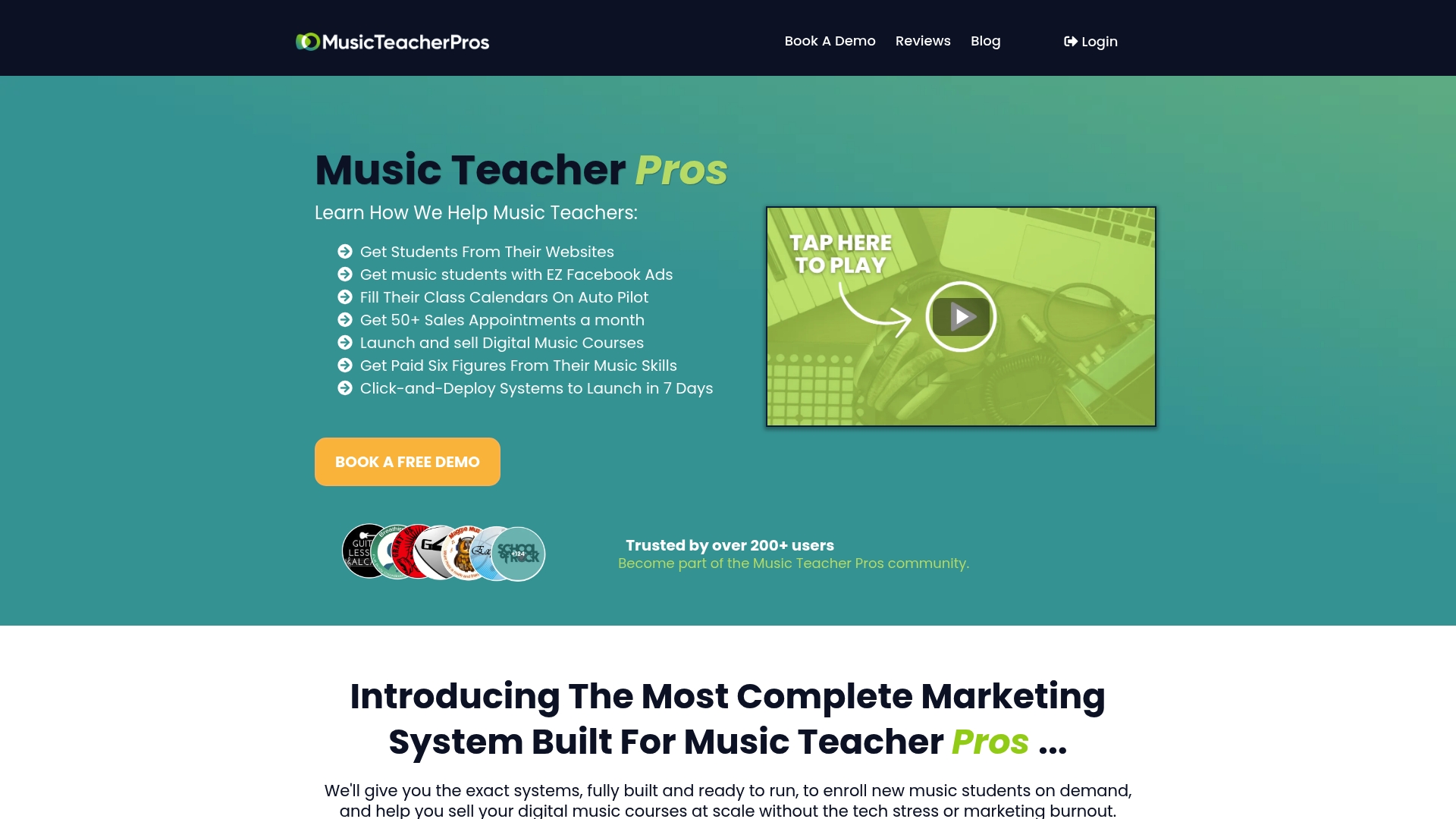
Some services are aimed at private teachers and small school owners who want the structure covered in this playbook (instrument-specific campaigns, trial-lesson offers, negative-keyword discipline, conversion tracking) without spending weeks assembling it themselves. Onboarding with some providers can move from audit through to live campaigns in a matter of days rather than weeks, since the templates are already built and tested, then adapted to instruments, location, and pricing.
If you’d rather start with a conversation than a spreadsheet, book a strategy call with Musicteacherpros to see what a managed setup looks like for your specific instruments and area, or browse the full platform if you want to see the templates and tools before committing to anything.
Official and benchmark resources to support setup and measurement
A handful of resources are worth bookmarking as you build and refine your campaigns. The Google Ads product overview is the starting point for account setup and the keyword planner tool, which shows real search volume for your instrument and location combinations before you commit budget. For benchmarking your own numbers against the wider market, LocaliQ’s search advertising benchmarks and WordStream’s 2025 benchmark data both offer useful directional ranges. If you’re tracking calls or remarketing to parents, review Google’s conversion tracking documentation and the FTC’s children’s privacy guidance before launching.
Sources
- Think with Google — near-me search trends
- WordStream — 2025 Google Ads benchmarks
- Google Ads support — conversion tracking
- LocaliQ — search advertising benchmarks
FAQ
Can I use Google Ads to promote my music lessons?
Yes, Google Ads is well suited to promoting music lessons, particularly through local search campaigns targeting instrument-plus-location keywords paired with a trial-lesson offer and call tracking.
How much does Google Ads pay per 1,000 views?
Google Ads doesn’t pay advertisers for views, that’s a common confusion with the separate Google AdSense or YouTube monetisation programmes; as a music teacher, you pay Google per click or call, not the other way around.
How do I advertise my music lessons online?
Start with a search campaign structured by instrument, write ad copy matched to your audience (parents, adults, or audition students), send clicks to a dedicated landing page with a clear trial offer, and track calls and bookings from day one.
Is £10 a day enough for Google Ads?
£10 a day can work in a small town with light competition and a strong, specific trial offer, but in a mid-size city or large metro you’ll likely need closer to £20 to £60 a day to gather enough conversion data for reliable results.
How long does it take to see results from Google Ads for music lessons?
Expect visibility and some enquiries within the first week, with stable, optimisable performance typically arriving between four and twelve weeks once your campaigns have enough conversion data to work from.