
3.6M Templates or Handoff? Canva vs Adobe Express for Music Teachers
3.6M Templates or Handoff? Canva vs Adobe Express for Music Teachers
Canva wins on range, Adobe Express wins on polish. If you need volume, social content, and templates for everything from Instagram carousels to event flyers, start with Canva. If you already live inside Creative Cloud and need designs that hand off cleanly to Illustrator or Photoshop, Adobe Express is the sharper tool. Pricing and export quality are where the two genuinely diverge, and the sections below break down exactly why.
TL;DR:
- Canva offers a larger template library with over 3.6 million options, making it faster for high-volume social media and flyer production compared to Adobe Express’s curated selection.
- Canva’s AI tools include image generation and background removal, while Adobe Express’s Firefly focuses on licensed, commercially safe generative AI, ideal for paid advertising.
- Canva provides stronger team collaboration features, including brand kits and approval workflows, whereas Adobe Express mainly supports basic collaboration suitable for solo users.
- Adobe Express excels in professional file handoff with layer-preserving PDFs that integrate seamlessly into Adobe software like Illustrator and Photoshop.
- Both tools are cloud-based and require internet connectivity, but Adobe Express’s lighter features tend to load faster on mobile devices and older hardware.
Table of Contents
- Canva vs Adobe Express: a side-by-side breakdown
- Does Canva or Adobe Express run faster?
- What support and community resources does each offer?
- How do the two handle brand and copyright management?
- Can you work offline and where do files live?
- A publisher’s take on making the final call
- Turning your designs into actual students
- Sources
- FAQ
Canva vs Adobe Express: a side-by-side breakdown
The honest answer to “Canva or Adobe Express” depends less on price and more on what you’re actually making and where that file needs to go next. Canva reports more than 3.6 million templates in its library, which is the kind of scale that matters when you’re churning out weekly social posts, flyers, and worksheets and don’t have hours to build from a blank canvas. Adobe Express plays a different game entirely. Its strength isn’t volume, it’s the bridge into professional tools, particularly through layer-preserving PDF exports that open cleanly in Illustrator and Acrobat.
Here’s how the two stack up across the dimensions that actually change your decision:
| Dimension | Canva | Adobe Express |
|---|---|---|
| Best for | Social creators, marketing teams, high-volume content | Creative Cloud subscribers, professional handoff |
| Ease of use | Drag-and-drop, minimal learning curve | Similarly simple, leaner interface |
| Template and asset library | 3.6 million-plus templates, broad formats | Smaller library, curated selection |
| AI features and commercial-use safety | Magic Studio AI tools, built-in generation | Firefly AI, trained on licensed Adobe Stock content |
| Collaboration and brand controls | Strong co-editing, approval workflows, brand kits | Basic collaboration, lighter brand controls |
| Integrations and workflow handoff | Broad third-party app integrations | Deep Creative Cloud integration |
| Export options / professional handoff | Standard exports, limited layer preservation | Layer-preserving PDFs into Illustrator/Photoshop |
| Pricing and free tier | Free tier generous; Pro around $15/month | Free tier smaller; Premium around $9.99/month |
Ease of use is a near draw. Both platforms use the same drag-and-drop logic, and a first-time user can build a passable Instagram post in either within ten minutes. Where Canva pulls ahead is in template depth: search “piano recital flyer” and you’ll get dozens of usable starting points, whereas Express gives you a tighter, more curated set.
The AI question is where things get interesting. Canva’s Magic Studio bundles image generation, background removal, and text-to-image tools directly into the editor. Adobe Express leans on Firefly, which Adobe markets around commercially safe generative AI because it’s trained on licensed Adobe Stock and public domain material. For anyone using AI-generated images in paid advertising, that licensing story gives Firefly a clearer commercial-use safety position than most competitors offer.
Collaboration is Canva’s other clear win. Co-editing, comment threads, approval workflows, and brand kit locking make it the stronger pick for teams producing on-brand output at scale. Adobe Express covers the basics but doesn’t try to compete here, it’s simply not built as a team hub in the same way.
For a music teacher, the practical test looks like this: a social post promoting open enrolment, an event flyer for a recital, and a printable practice worksheet for students. Canva handles all three inside one template ecosystem. Adobe Express does the job too, but its real value shows up if that flyer eventually needs professional print refinement in Illustrator.
Pro Tip: If you’re testing both, build the exact same asset (say, a recital flyer) in each tool and time yourself. The gap between “fast enough” and “genuinely quick” only shows up when you compare like for like.
Does Canva or Adobe Express run faster?
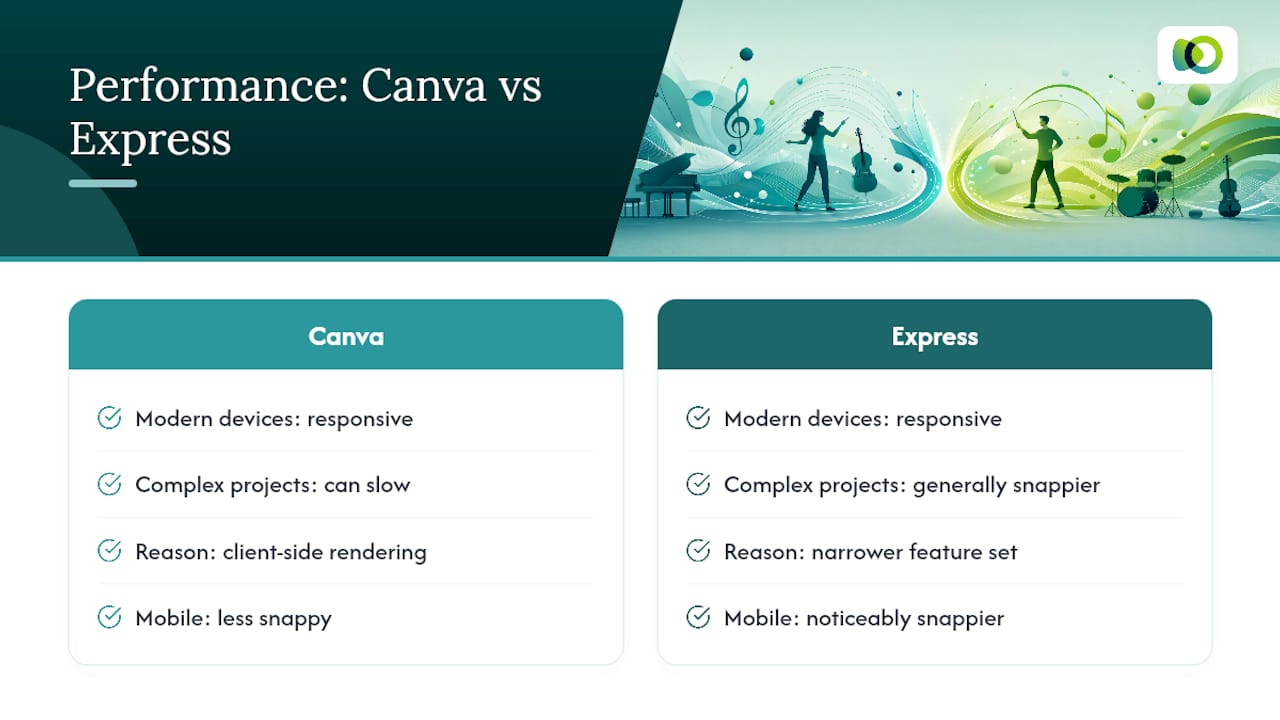
Neither tool feels sluggish on a modern laptop or a recent phone, but the experience diverges once files get complex. Canva’s browser-based editor can slow down on designs with many layers, embedded video, or oversized image files, particularly on older machines or a patchy connection. Because so much of Canva’s rendering happens client-side in the browser, heavier projects sometimes lag when you’re stacking multiple elements or working across several pages in one design.
Adobe Express tends to feel leaner because its feature set is narrower by design. Fewer bells and whistles means less for the app to render, and that shows up as snappier load times, particularly on mobile. If you’re working from a phone between lessons, that responsiveness is worth something real.
Neither platform will frustrate a casual user making a single graphic. The difference surfaces when you’re managing dozens of assets across a busy teaching studio, juggling browser tabs while updating a website, a flyer, and a social post in the same sitting. In that scenario, Canva’s broader toolkit costs you a little speed, while Express’s tighter scope buys some back. Neither is a dealbreaker, but if your device is older or your connection is unreliable, Express’s lighter footprint is the more forgiving option.
What support and community resources does each offer?
Canva backs its huge user base with an extensive help centre, active community forums, and a steady stream of tutorial content covering everything from basic layout to advanced brand kit setup. Because so many marketers and educators use it, informal support exists everywhere too. Search “Canva flyer tutorial” and you’ll find hundreds of options.
Adobe Express benefits from sitting inside the broader Adobe ecosystem, which means support documentation, video walkthroughs, and Creative Cloud’s existing help infrastructure all extend to it. It doesn’t have the same volume of independent tutorial content that Canva has built up over years of dominance, but Adobe’s own resources are thorough and well organised.
For a solo music teacher without a design background, Canva’s larger community means it’s usually faster to find an answer to a specific “how do I…” question, simply because someone else has almost certainly asked it first.
How do the two handle brand and copyright management?
Brand consistency matters more than most people admit, especially if you’re building a teaching studio’s identity across flyers, a website, and social posts. Canva’s brand kit feature lets you lock in fonts, colours, and logos across every team member’s designs, which keeps a multi-teacher studio from drifting into five different visual styles.
Copyright is where the two tools tell a genuinely different story. Adobe’s Firefly is trained on licensed Adobe Stock content and public domain material, giving Adobe Express a clearer indemnification position for businesses using AI-generated images in paid campaigns. Canva’s Magic Studio tools are broadly capable but don’t carry the same explicit licensing narrative that Adobe leans on.
If you’re running paid Facebook or Google ads using AI-generated visuals, that distinction is worth considering, particularly if a client or school board ever asks where an image came from.
Can you work offline and where do files live?
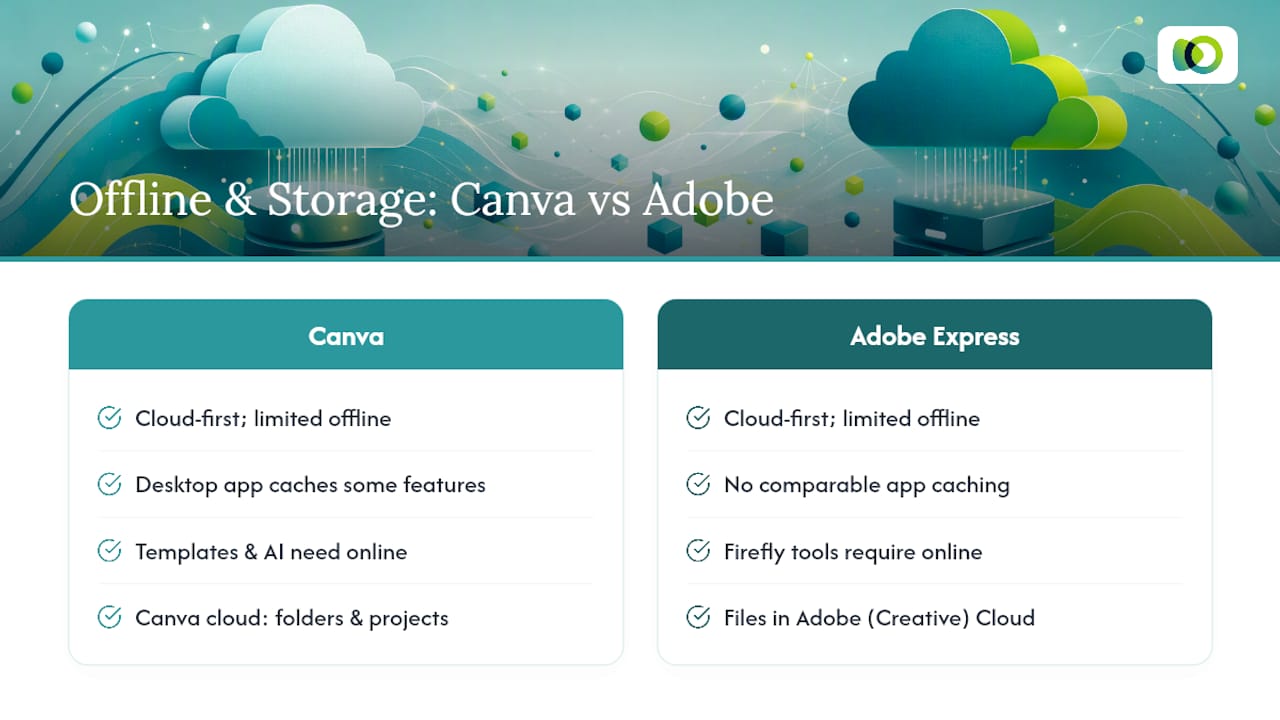
Both platforms are fundamentally cloud-first, and neither offers a full offline editing experience comparable to desktop software like Photoshop. Canva has a desktop app that caches some functionality, but you’ll still need a connection for template downloads, AI features, and syncing changes. Adobe Express, similarly, depends on a connection for most of its Firefly-powered tools.
Storage-wise, Canva keeps everything in its own cloud, organised by folders and projects, with generous space even on the free tier. Adobe Express files live inside your broader Adobe cloud storage, which is a real advantage if you already store other assets, like Photoshop files, in Creative Cloud, since everything sits in one place rather than scattered across separate accounts.
Neither tool suits a teacher working somewhere with genuinely unreliable internet. If that’s your situation, plan to do your heaviest design work somewhere with a stable connection and treat both platforms as tools you dip into rather than live inside all day.
A publisher’s take on making the final call
Pick based on constraints first: budget, existing software, and output volume. Then lock a template standard so every flyer and post looks like it came from the same studio. Review that standard every term, not every year, because your offerings change faster than your branding does. Most teachers only need to migrate from Canva to Express when Creative Cloud becomes unavoidable. Consistency beats cleverness, always.
— Liam
Turning your designs into actual students
Great flyers and polished social posts are only half the job. There are marketing systems designed to support music teachers after they’ve created their designs, helping bring students through the door by pairing ad campaigns with lead capture automation, so the graphics created in Canva or Adobe Express don’t sit idle on a shared drive.
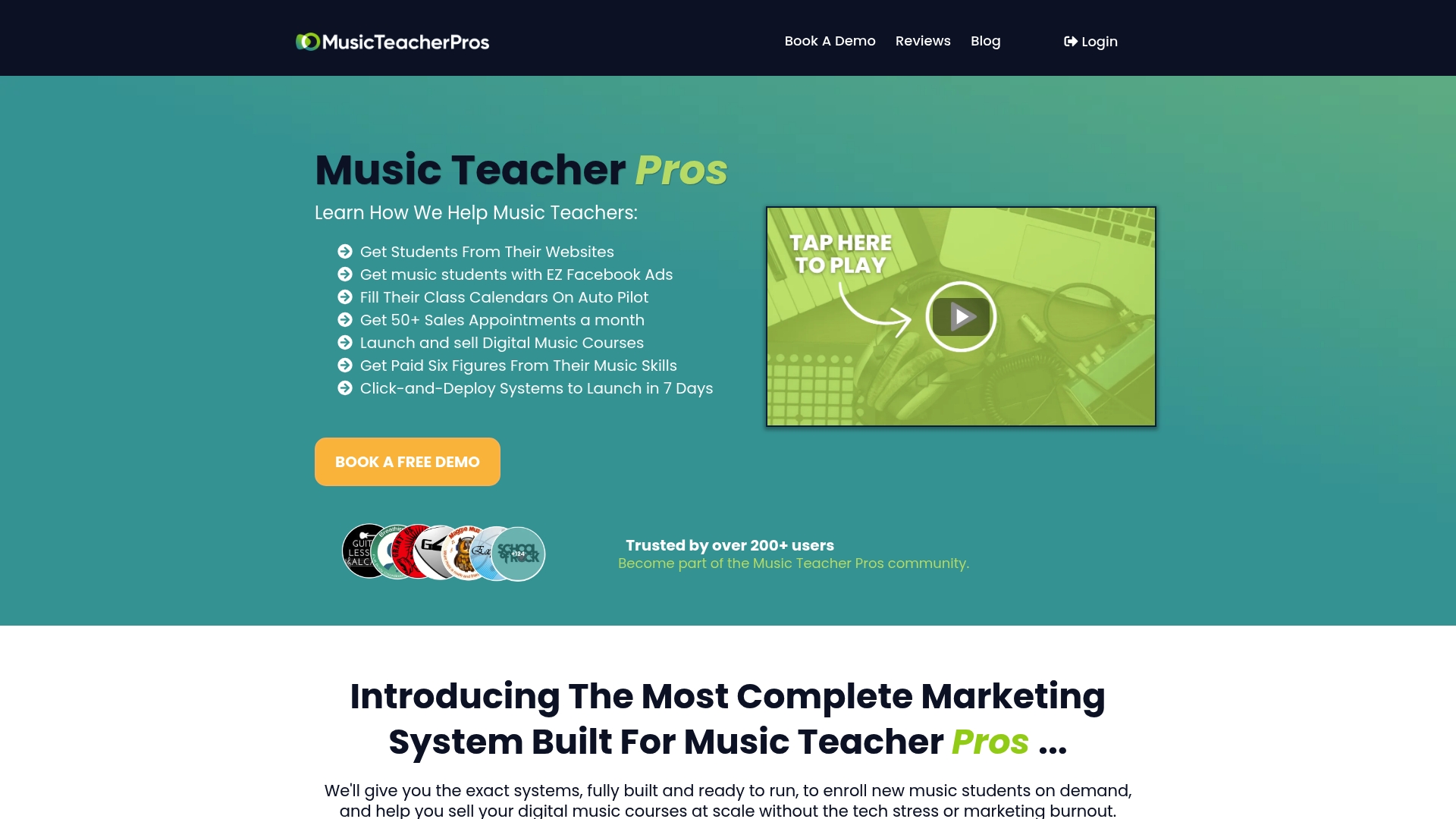
Rather than guessing which platform to advertise on, teachers using Musicteacherpros get proven campaign templates instead of starting from scratch, similar to choosing between Google display and search or deciding how to split budget across Facebook and TikTok ads. The system also includes SEO-optimised websites, calendar and payment integrations, and ongoing coaching, so the design work you do in Canva or Adobe Express becomes part of a working enrolment pipeline rather than a one-off graphic.
If you’re a private music teacher or school owner ready to turn consistent design output into consistent student intake, visit the Musicteacherpros landing page to see how the system fits your studio.
FAQ
Is anything better than Canva?
It depends on your priority. Adobe Express beats Canva on professional export quality and Creative Cloud integration, but Canva’s template range and collaboration tools remain broader for most everyday content needs.
Why don’t professional designers use Canva?
Many professional designers prefer tools like Illustrator or Photoshop because they offer finer control over layers, typography, and print-ready output, something Canva’s template-driven approach wasn’t built for. Adobe Express narrows that gap somewhat through its layer-preserving PDF exports, but it still isn’t a full replacement for dedicated design software.
What are the disadvantages of Adobe Express?
Its template library and collaboration features are noticeably smaller than Canva’s, and it lacks the deep community tutorial base that’s built up around Canva over the years.
Which is more affordable, Canva or Adobe Express?
Adobe Express Premium is often cheaper standalone, reported around $9.99 a month compared with Canva Pro’s roughly $15 a month, though Creative Cloud subscribers may already have Express Premium included at no extra cost.